Your school deserves tools that truly support teachers and set you apart in your community.
Motioncube Maker is a platform for creating interactive exercises for motion-based devices that changes the way teachers plan their lessons and children learn. We are opening a pilot programme for the first schools.
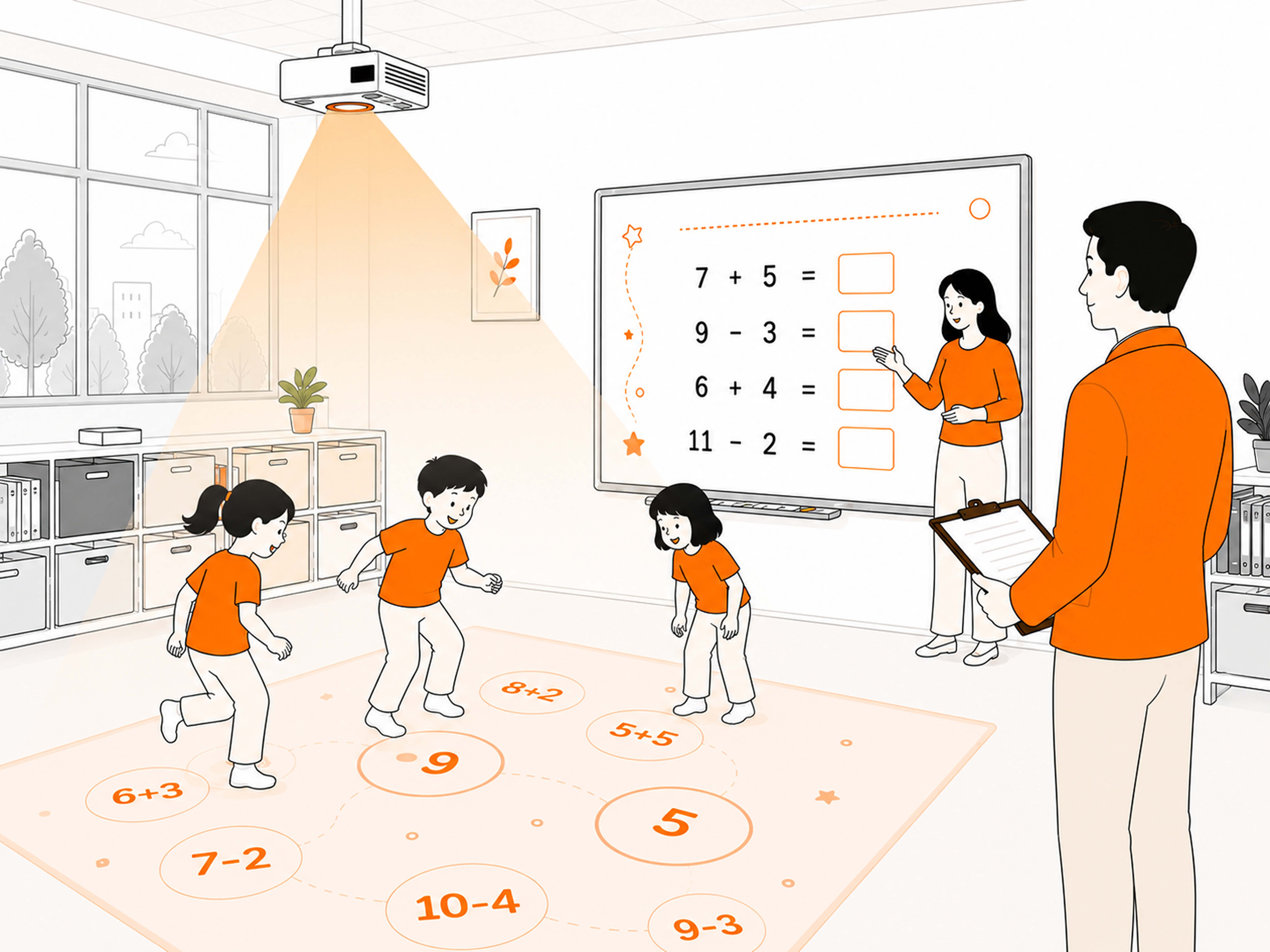
We know what your everyday looks like
An investment in equipment that has already gathered dust
The school bought an interactive floor – a great decision for years to come. But after the first months of enthusiasm you see that teachers use the same few apps. The investment is not working at full capacity. You know you could squeeze more out of it, but you do not know how.
Teachers tired or burned out
You know your teachers are capable of coming up with amazing things – but they lack the tools to turn those ideas into reality without losing their evenings. Worksheets in Word, the printer in the staff room, work at desks. It does not have to be like this anymore.
Competition for students (or for budget)
Whether you run a public or a private school – you have to show results. Parents look for places where their child truly develops and feels at home. Governing bodies look for schools where investments deliver results. The same photo of a computer room as the one next door is no longer enough.
Motioncube Maker answers every one of these challenges. We will show you how.
What Motioncube Maker gives your school
Making use of existing infrastructure
The interactive device you bought starts working at full capacity. From dozens of store apps no one ever opened, a living library of 100+ exercises appears, plus the teachers' own exercises created for the specific needs of specific classes.
Concrete result: a device used every day instead of once a month. The investment keeps working for itself.
A team that comes back to life and bursts with ideas
Teachers who have an efficient tool plan better lessons. Better lessons create a better atmosphere in the classroom. A better atmosphere in the classroom shows in students' wellbeing, in how parents rate the school, in attendance, in results. This is not a fantasy – it is a simple mechanism that works.
Concrete result: engaged teachers and engaged children mean less turnover and fewer absences.
Standing out in your community
Parents ask at meetings "what is new with you". Neighbouring schools call for advice. Local media take an interest in your initiatives. The governing body notices that your school invests in quality, not just renovation. All of that from a single decision.
Concrete result: a stronger position when recruiting students and applying for budget.
What rollout at a school looks like
A gradual, manageable process. No "revolution from Monday". With stages that show what to expect.
Activation and first steps
Two or three of the most engaged teachers from your school get access to Motioncube Maker. In the first week they get to know the tool and experiment with ready-made exercises from the library. After just a few days they run their first exercises in their classes.
The first creators
Teachers start creating their own exercises – tailored to the curriculum, to specific classes, to children's needs. The school's first "own" exercises appear: maths, language, therapy. Other classes ask what is going on in 1B that the children do not want to leave for the break.
Teamwork
You set up a group for the school in Motioncube Maker. Teachers share exercises with one another. An internal library of materials tailored to the reality of your school/kindergarten is created. A teacher who takes over a class from a colleague also inherits their working tools.
The school standard
Motioncube Maker is one of the standard elements of lesson planning. Teachers exchange ideas at staff meetings. The principal shows the way of working at every opportunity – to the media, governing bodies, colleagues from other schools. Children moving up to the next grade ask "will we have those exercises on the floor and the board".
The questions you will hear – and concrete answers
Expect these questions from your team, the governing body, parents. Here you will find ready answers.
How to start working together
No signing commitments after the first call. A simple, non-threatening process.
Introductory call
(30 minutes, online)
We learn the specifics of your school. We show Maker in action. We answer questions. No commitment.
Scenarios for your school
We send you example use scenarios for your subjects and your children's age. You can share them with teachers and assess together whether it fits you.
Trial period
(as long as you need)
We give you free access for selected teachers from your school. Real tests in real conditions. No contract.
Decision and rollout
After the trial period you decide whether you stay with Maker. If Maker stays – we help you roll it out fully across the school and organise a webinar for teachers. No pressure.
What we offer the first schools
We say it honestly: we do not yet have public references from principals – we are launching this page with the first group of schools in mind, with whom we will jointly define the rollout standard. In exchange for feedback and a case study we offer terms we will not repeat after the commercial launch.
Free access in the first years
The first schools use Motioncube Maker free of charge not only during the pilot, but also after it ends.
Rollout support - direct
We run teacher onboarding and team training in person – not through a hotline. Your school has a direct line of contact with the people building the product.
The first references for your school
A joint case study, materials for communicating with parents and the governing body, the chance to present the rollout at industry conferences. A distinction that stays with the school.
Influence on the product roadmap
Your feedback from the first months of use goes straight into development priorities. Features that schools really need – not the ones that look nice in a demo – are built first.
What we expect in return: regular (every 4–6 weeks) feedback from the person coordinating the rollout, consent to publish a case study after 6 months, and the option to invite further principals to a reference call.
Need specific documents for your internal procedures?
Write to us – we will prepare them for your school together.
Get in touch with usLet us talk
Every school is different. Your challenges, your team, your students – there is no universal solution. 30 minutes of a call with our team will give you concrete answers: whether Motioncube Maker fits your school, what specific benefits you can achieve and where it is best to start.
We do not sell during this call. We advise.
